

What is NPM?
NPM is the default package manager for java script run time environment NodeJS. Node Package Manager is a command line tool that installs, updates or uninstalls Node.js packages or module in the application .NPM is an online repository and and it can be used by The node developers to create modules and publishes them as packages in this NPM repository.
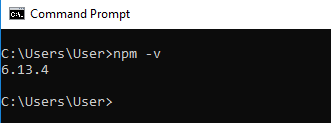
NPM is installed when the Node is installed you can verify the installation by the typing following command on the command promt
C:\Users\User> npm -v
6.13.4
If you have older version you can update it as follow
C:\> npm install npm -g

To access help just type as follow
C:\> npm help

NPM performs the operation in two modes which are global and local. In the global mode, NPM performs operations which affect all the Node.js applications on the computer.Local mode can be used to perform operations for the particular local directory and it affects an application in that directory only
Install packages Locally
You can use the following command to install a third party module in your local Node.js project folder.

For an example following command will install ExpresJS into MyProject folder
C : \MyProject> npm install express

You can see that All the modules installed using NPM are installed under node_modules folder. The above command will create ExpressJS folder under node_modules folder in the root folder of the project and install Express.js in the folder.
Install Package Globally
You can also install packages in Global mode so that all the node.js application on that computer can import and use the installed packages. NPM installs global packages into the following directory /<User>/local/lib/node_modules
For example, the following command will install ExpressJS globally.
C:\MyProject> npm install -g express

How to Uninstall Packages?
You can use the following command to uninstall and remove local packages from your project
C:\Users\User>npm uninstall <package name>

 Computer Science and Software Engineering
Leave a comment